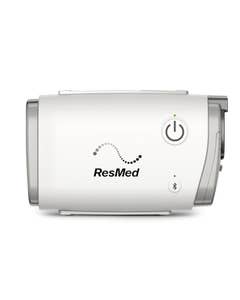



CPAP Machine Troubleshooting Guide
In most instances, you shouldn’t have any major issues with your CPAP machine if it is brand new. However, every now and then you might experience a problem with an older machine that requires replacement or repair. Here are a few questions to ask to ensure your CPAP machine is working properly.
How Do I Know If My CPAP Machine Is Broken?
Like any machine, CPAP machines can break down or wear out over time. If the machine does not turn on or there is no airflow, then this is a case for a service call. Most importantly, if you see no noticeable progress in your sleep apnea treatment that might mean your CPAP machine needs to be replaced. If you are still snoring at night or experiencing daytime symptoms of sleep apnea, then you may need a new machine.
Can CPAP Machines Be Repaired?
CPAP machines can be repaired. Some companies will come to your home to service the machine. However, a repair can be costly. It's important to know and check your warranty. You may be eligible for free repair or replacement. Most CPAP machines have a two-year manufacturer’s warranty. If your CPAP machine is past warranty eligibility, then the cost of repair may not be worth it. Most CPAP machines should be replaced after three to five years. You may also find that purchasing a new machine is a better and more affordable option.
CPAP Machine Troubleshooting
Start With the Humidifier
If the water in the humidifier chamber never goes down, then the humidifier might not be working. If you have a heated humidifier and the water is cool, then that is also a sign of a malfunction. The humidifier should also operate quietly. If you find that it is getting noisier over time, it may need to be replaced.
Check Filters and Tube
If the airflow from your CPAP machine seems reduced, then you should check your filters. They may need to be changed. Follow the manufacturer’s guidelines for maintaining filters.
Another common problem for reduced airflow may be damaged tubing. Check your tubes for cracks or leaks. Air is passing through these holes rather than to your mask, which reduces air pressure. If you find flaws in your tubing, then it’s time for tubing replacement.
Check the Air Passage
If you notice there is less airflow or your CPAP machine seems too noisy, there may be a clog. Look for obstructions anywhere along the air passage, from hose to mask. Cleaning your mask and hose regularly can also help eliminate the possibility of blockages. Follow your CPAP machine manufacturer’s guidelines for regular cleaning to help maintain consistent airflow and CPAP machine performance.
Dry Your Machine to Avoid Condensation
If you notice condensation in your mask or tubing, this is known as rainout. Rainout occurs in CPAP machines with heated humidifiers. As the air travels through your tubing, its temperature drops rapidly.
As the air cools, the moisture from the air condenses into droplets inside of the tubing. However, you can prevent rainout by keeping your CPAP machine dry. Adjust temperature settings on your heated humidifier or try wrapping your hose to keep it warm. Another solution is replacing your tubing with heated tubing, which keeps the airflow temperature consistent.
Check Power Adapter
If your CPAP machine stops running it may just need a simple restart. Unplug and then re-plug your power adapter and see if your CPAP machine comes back on. Check for damage to the power cord and ensure that the power adapter is properly plugged into the outlet. You may try plugging the power adapter into an alternate outlet in your home to ensure that you do not have a failed outlet.
Replacing Your Broken CPAP
Warranty Period
Most CPAP machines are covered by a two-year manufacturer’s warranty. If you experience any problems with your CPAP machine within the warranty period, contact the manufacturer. The contact information can be found in your user’s manual or online at the manufacturer’s website.
When your CPAP machine is passed its warranty, it is usually time to be replaced.
Prescription
When replacing your old CPAP machine, be sure that your new machine follows the same recommendations from your doctor. Double-check your prescription. You will want a CPAP machine that meets the air pressure requirements you need for your CPAP therapy.
When it comes time to replace the machine, it’s also a good idea to check with your doctor to see if there are any changes in your prescription.
Check for Insurance
Some health insurance providers will cover the cost of a CPAP machine replacement. Talk to your health insurance company or review your policy to see if durable medical equipment such as CPAP machines is covered, if only partially. It may be an opportunity to save money on a CPAP machine replacement.
Find the Best CPAP Machine
Always be considerate and thorough when selecting a CPAP machine. Find one that fits all of your CPAP therapy needs. Here are a few things to consider.
- A portable CPAP machine if you travel frequently, so you can stay CPAP compliant on the go.
- A heated humidifier to provide warm, moist air if you experience a dry throat or nose from CPAP.
- A CPAP machine with a ramp feature if you have difficulty with your prescribed pressure setting.
Where Can I Buy A CPAP Machine?
You can purchase CPAP Machines online or in-store at The CPAP Shop. Our knowledgeable staff can help you choose the best replacement CPAP machine for your needs. You can find CPAP machines from top manufacturers like ResMed and others.
This post was originally published on November 10, 2021 and updated January 11, 2024.
-
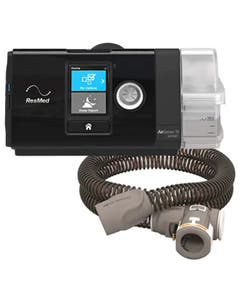 ResMed AirSense 10 AutoSet CPAP Machine with Bluetooth, HumidAir and ClimateLineAir75 Reviews
As low as $960.00 Regular Price $969.00
-
-
-